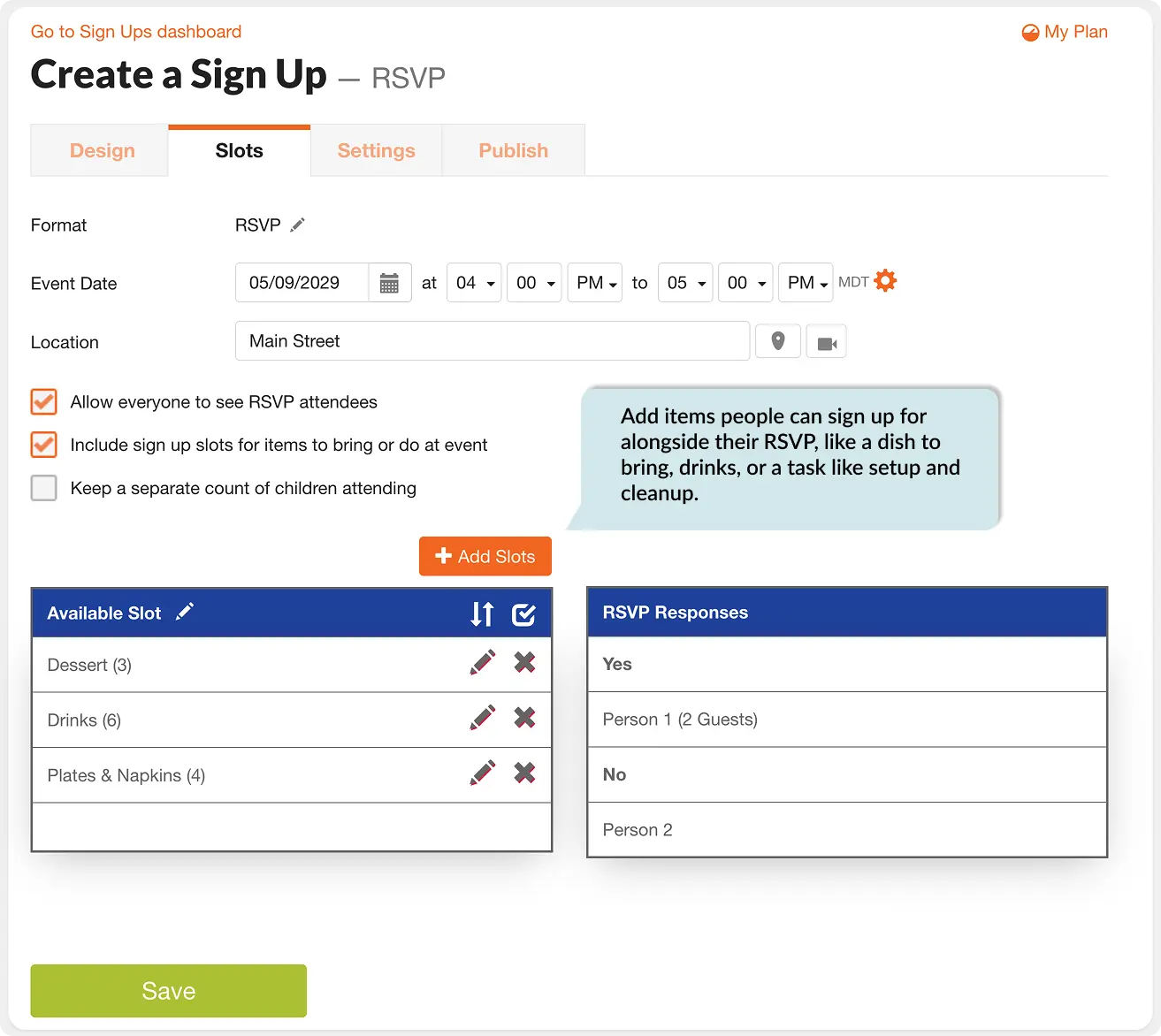

A headcount alone doesn't tell you what you actually need to know before an event. SignUpGenius's Single Date RSVP format lets you collect a Yes, No or Maybe response, guest counts, and items people are bringing or doing, all on one sign up.
Good to Know Before You Choose RSVP Format
RSVP sign ups don't limit the number of guests who can respond Yes, and the Yes, No, Maybe and Guest options are built into the format and can't be removed or customized. RSVP format also doesn't support payment collection. If you need to collect payments, standard format is the better fit.
When RSVP Format Makes Sense
- A potluck or work party where you need to know who's attending and what they're bringing
- A reunion or holiday gathering where guest counts affect the venue or catering order
- A class party or team event where some families are attending and some are just contributing
- Any single-date event where a plain headcount isn't enough information to plan around
How to Set Up Your RSVP Sign Up
- Log in and start a new sign up.
- At the top, when choosing what kind of sign up to create, choose Single Date RSVP as your sign up format.
- Add your event date, time and location.
- Check Include sign up slots for items to bring or do at event if you want people to sign up for a dish or task alongside their RSVP.
- Choose whether to let everyone see the RSVP attendee list, then share your sign up link.

Genius Tip
Reminder emails go to everyone in the group, even people who already responded No or haven't responded at all. If you want to stop reminders for them, remove their email from the group tied to the sign up.